

The Figma situation
Saddening...
Just a styleguide, with no components at all.

No reusable component
Critical
Just loose color and typography

Every screen with its own style

Zero variants or states

No documentation at all

How I mapped a product with no pattern at all and built, from Figma to code, the foundation that today teaches an AI to assemble screens on its own.

Brazil
Location

Design Engineer
Role

2025 - 2026
Date
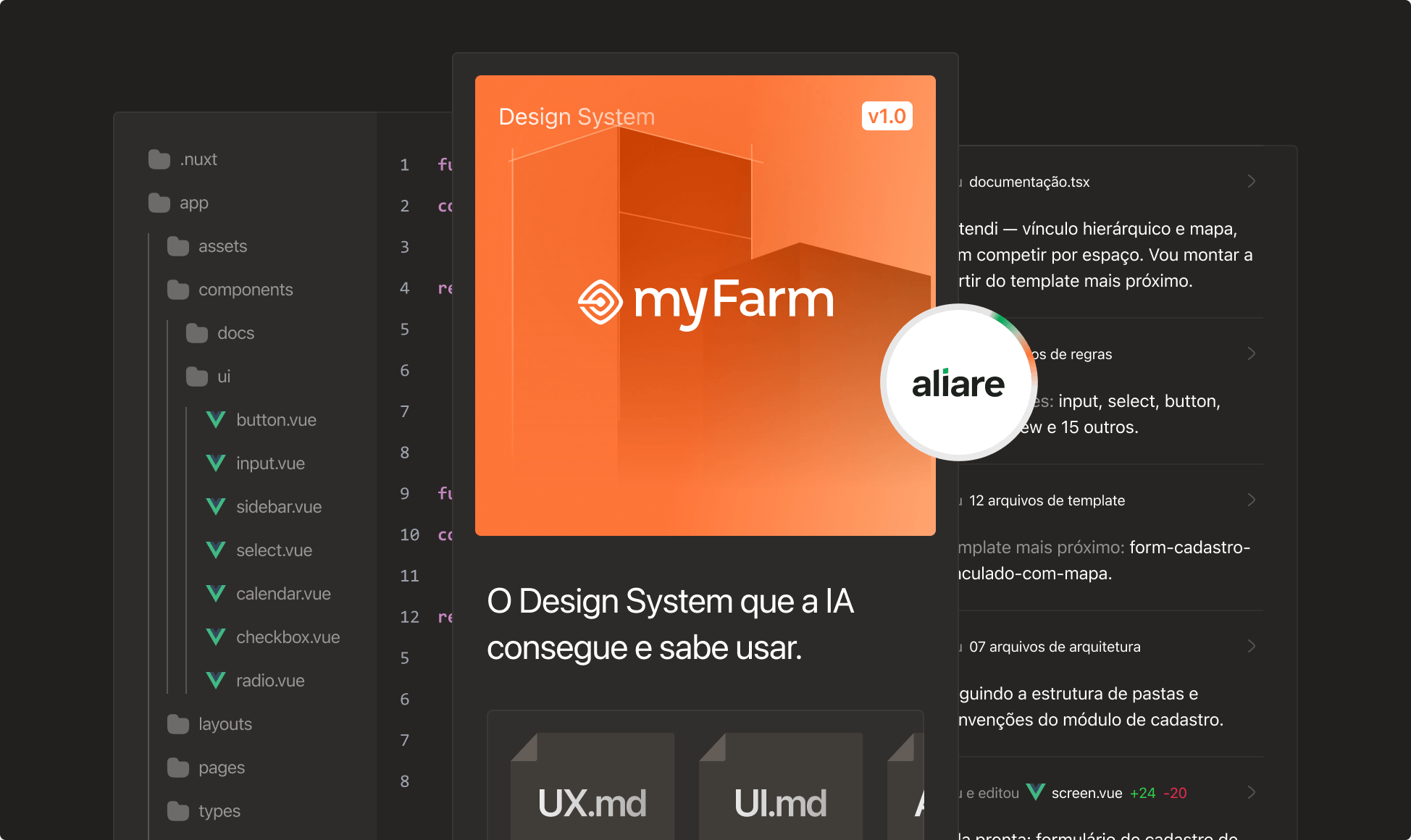


20 years, a lot of learning, a will to do things differently and a passion for agribusiness. That's the story of MyFarm, born out of the desire to share knowledge and help rural producers manage their farms more easily and profitably.
WHAT IT IS
The product already exists and is in real production, monitoring more than 5 million hectares, but it never had a design system. Components grew loose over time, with no pattern between screens.

MYFARM HAD ONE BIG PROBLEM...
A giant product, without a single shared component.
There was no design system, there was no pattern.
The Figma situation
Saddening...
Just a styleguide, with no components at all.
No reusable component
CriticalJust loose color and typography
Every screen with its own style
Zero variants or states
No documentation at all

The code situation
Deplorable...
Element Plus styled by hand. Nothing reusable.

Maintenance practically unfeasible
Critical
Everything pulled from Element Plus

Styled by hand, one by one

No component of its own

Same button, duplicated code
THE SOLUTION
Build the foundation that never existed,
and teach an AI

 to use it.


Figma
A structured design system with components and templates, ready to become code.


Code
Vue.js and Reka UI together: behavior ready-made, style defined by the design system.


Agents.MD
All the design system's documentation written for an AI to read and use on its own.
FIGMA


Foundations
Colors, typography, spacing and icons mapped from what already existed loose in the product, now as reusable tokens.
+700 tokens created


Components
Buttons, inputs, tables and cards rebuilt as single components, each with its own variants and states.
+1,300 component variants created


Templates
Ready-made screen compositions, assembled from the components, covering the product's most common layout patterns.
+20 screen templates created
CODE



From Element to Reka UI
We swapped a library with its own built-in style for a headless one, with no visual inheritance at all.
We gained ready-made behavior and accessibility, and the design system became the single source of style.
Nuxt
Framework that structures the app on top of Vue, handling routes, build and project organization.

Vue JS
The frontend's base. Every design system component is written and documented in it.

Reka UI
Headless library that ensures correct behavior underneath the components, without imposing style.
Bun
Runtime used to install dependencies and run the project faster than traditional alternatives.

AI BUILDER

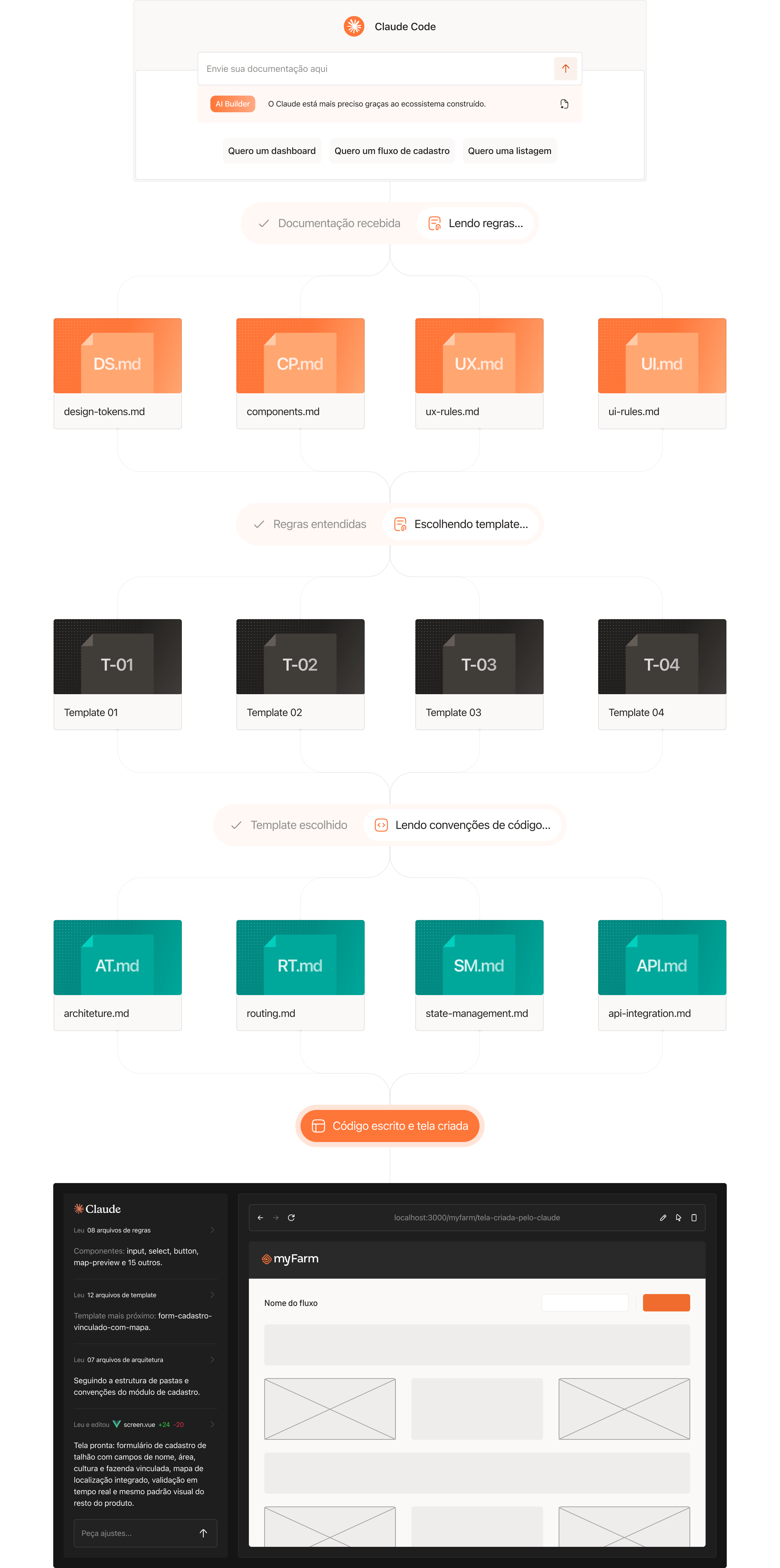
design-tokens.md
All of the design system's foundations, in a format an AI can read and apply.

templates.md
A map of which template to use for each screen, teaching the AI to recognize requirement patterns.

components.md
Components documented with their variants and use cases. The reference for the AI to pick the right one.

guidelines.md
Usage rules and best practices of the design system, ensuring the AI generates consistent screens.
HOW IT WORKS IN PRACTICE
AND WHAT DID THIS SOLVE?
The design system stopped being a reference and became a real standard, applied to every component of the product. With the builder, someone from the product team throws in a requirement and gets a ready-made screen.


An important caveat:
The builder speeds things up, but it doesn't replace review. Every generated screen must go through adjustments from a designer and technical validation from a senior developer before going to production.

Screens created by non-technical people
The product team generates screens on its own, always with design review and technical validation.

Delivery speed
Less time styling from scratch, more time solving the real problem of the flow and the screens.

Scales without losing consistency
New screens follow the pattern automatically, even in a product with hundreds of them.

Simple maintenance
Changing one component changes the whole product at once, instead of requiring a screen-by-screen review.

The AI doesn't make things up, it chooses
It decides among what already exists and is documented. No new component, no off-pattern solution.

A cheaper product to maintain
Fewer designer and dev hours spent on style adjustments, more hours spent on business problems.


MY ROLE IN THE PROJECT


Design system and templates
I created the design system from scratch: foundation, components and templates.


Coding
I coded the design system, taking every component to Vue.js and Reka UI.


Design agents
I'm responsible for building the documentation that teaches the AI to use the system on its own.
OUTSIDE MY SCOPE


Code agents
Architecture documentation and code patterns, written by the engineering team.


AI Builder
The construction of the builder itself, also the engineering team's responsibility.
